Switching Roles
Switching roles to View as Learner
As a course leader, you will sometimes want to view a course site from the student’s/learner’s perspective.
It is possible to switch to “learner view” to see what the student is seeing.
To view the course side from a learner's perspective, complete the following steps:
Note: The Learner view is not 100% accurate as it does not show everything from a Learner perspective. E.g. Some instructor tools still show on the nav bar.
1. In the minibar, click your username.
Image

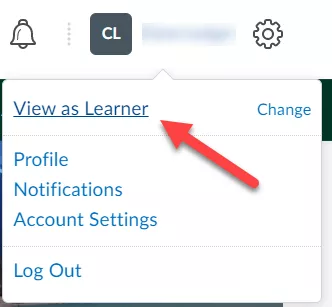
2. Click View as Learner.
Image
Result
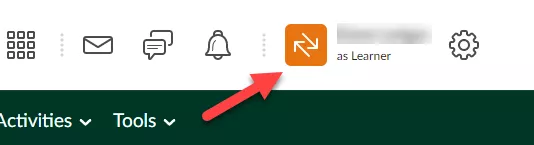
You are now in learner view. This will be reflected next to your name on the minibar.
Image
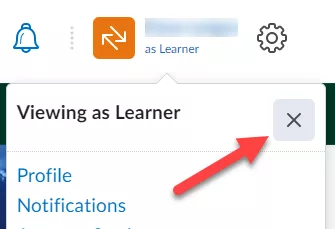
To return to normal view, click your username and click the X next to Viewing as Learner.
Image