Logging into Brightspace
Logging into Brightspace
Note: Brightspace does not recommend any browser in particular to use this VLE. It does however recommend that you set whatever browser you use to auto-update to avoid any problems.
To access Brightspace, complete the following steps:
1. In your browser, type learn.ul.ie and press Enter.
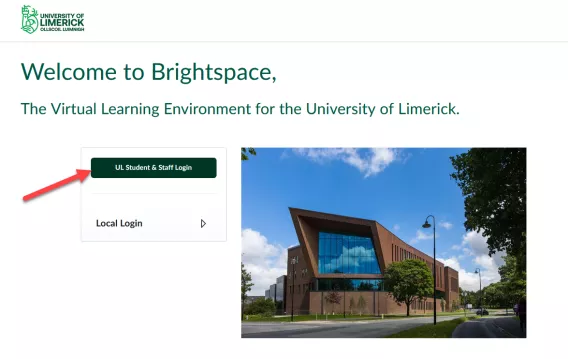
The Brightspace Login page opens.
2. Click UL Student & Staff Login.
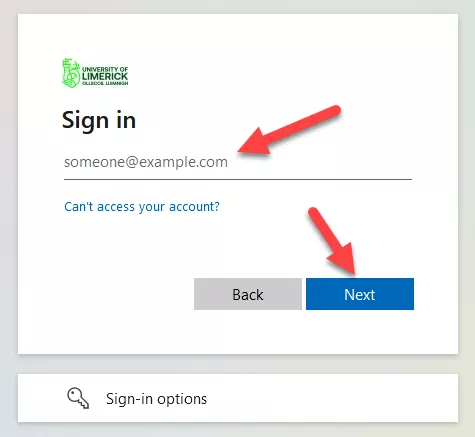
3. Enter your email.
Note: Sign in with your Staff/Student email address, not your personal email address.
4. Click Next.
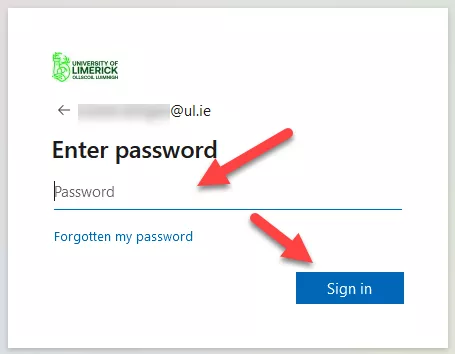
5. Enter your password.
6. Click Sign In.
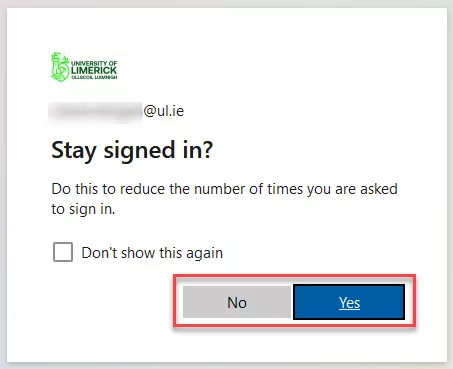
Optional: You may be asked if you want to stay signed in to reduce the number of times you are asked this question. Click Yes or No.
Result
You have now gained access to Brightspace.
See Navigating the Brightspace homepage for more information on the page you land on.


